Cancel a token
Overview
This flow describes how to cancel a token on the queue board, or how to mark it as entered in error.
Pre-requisites
- You are a member of the facility.
- You open the queue board of the queue that holds the token. See Serve patients from a token queue.
- The token is on the Ongoing tab: in Waiting, in the section of a service point, or under Awaiting Re-Call.
- You have the permissions listed below.
Permissions
| Permission | Access |
|---|---|
| Can Create on Token | Lets you cancel a token or mark it as entered in error. Hold it in the place of the queue's resource, as the list below the table shows. By default, the Admin, Staff, Facility Admin, Doctor, Nurse and Administrator roles hold it. |
| Can list token on Object | Lets you open the queue board and see its tokens and service points. Hold it in the same place as "Can Create on Token". By default, the Admin, Staff, Facility Admin, Doctor, Nurse and Administrator roles hold it. |
| Can list bookings on Object | Shows Queues under Patient Management in the facility sidebar, where you reach the queues of a practitioner. Hold it in the Administration organization, which every facility has, or in a department or team of the facility. By default, the Admin, Staff, Facility Admin, Doctor, Nurse and Administrator roles hold it. |
| Can Read Healthcare Service | Lets you reach the queues of a healthcare service, or of a location, through Services in the facility sidebar. Hold it in any organization of the facility. By default, the Facility Admin, Administrator, Admin, Staff, Doctor, Nurse, Volunteer and Pharmacist roles hold it. |
| Can View Facility Organizations | Needed only to choose a practitioner outside your own departments, under All Dept. in Selected practitioner. Hold it in any organization of the facility. The Administration organization appears in the list only if you hold it there. By default, the Facility Admin, Admin, Staff, Doctor, Administrator, Nurse and Volunteer roles hold it. |
Where you must hold "Can Create on Token" and "Can list token on Object" depends on the resource of the queue:
- For a practitioner's queue: the Administration organization, or an organization of the facility that the practitioner belongs to, or a parent of that organization.
- For a location's queue: an organization linked to the location or to its parent location, or a parent of one of them. The Administration organization also counts.
- For a healthcare service's queue: the service's managing organization or a parent of it. If the service has no managing organization, the Administration organization.
- If a department or team manages the service, hold them in that department or team, or in one above it. A role in the Administration organization alone does not count.
Note: The queue board shows its actions to everyone who can open it. If you do not hold "Can Create on Token" in the right place, Care refuses the change.
Steps
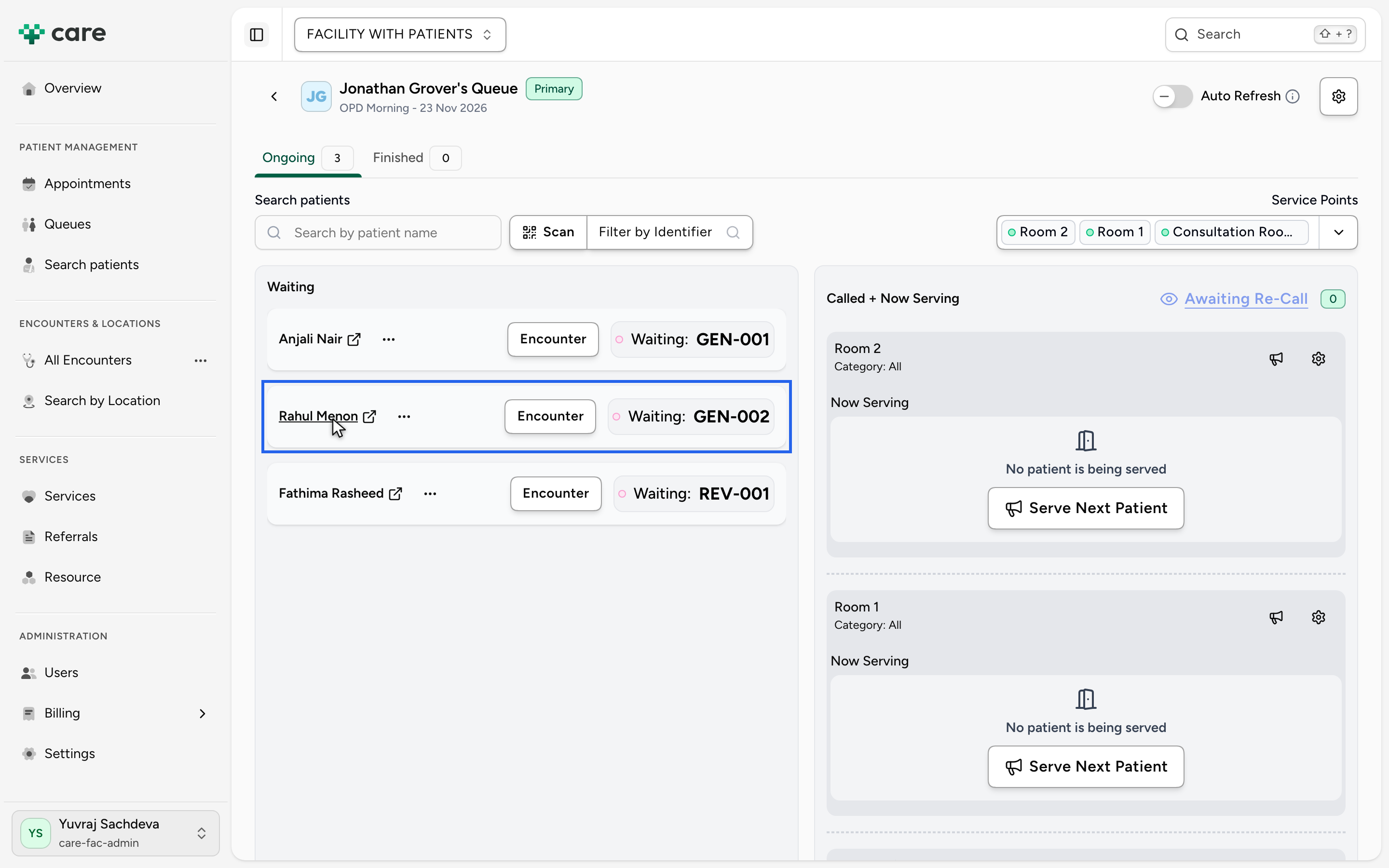
1. Find the token
On the Ongoing tab, find the token in Waiting or in the section of a service point.
To find a waiting patient by name, type the name in Search patients.
For a token that waits for re-call, select Awaiting Re-Call. Find the token in the dialog.
2. Open the menu of the token
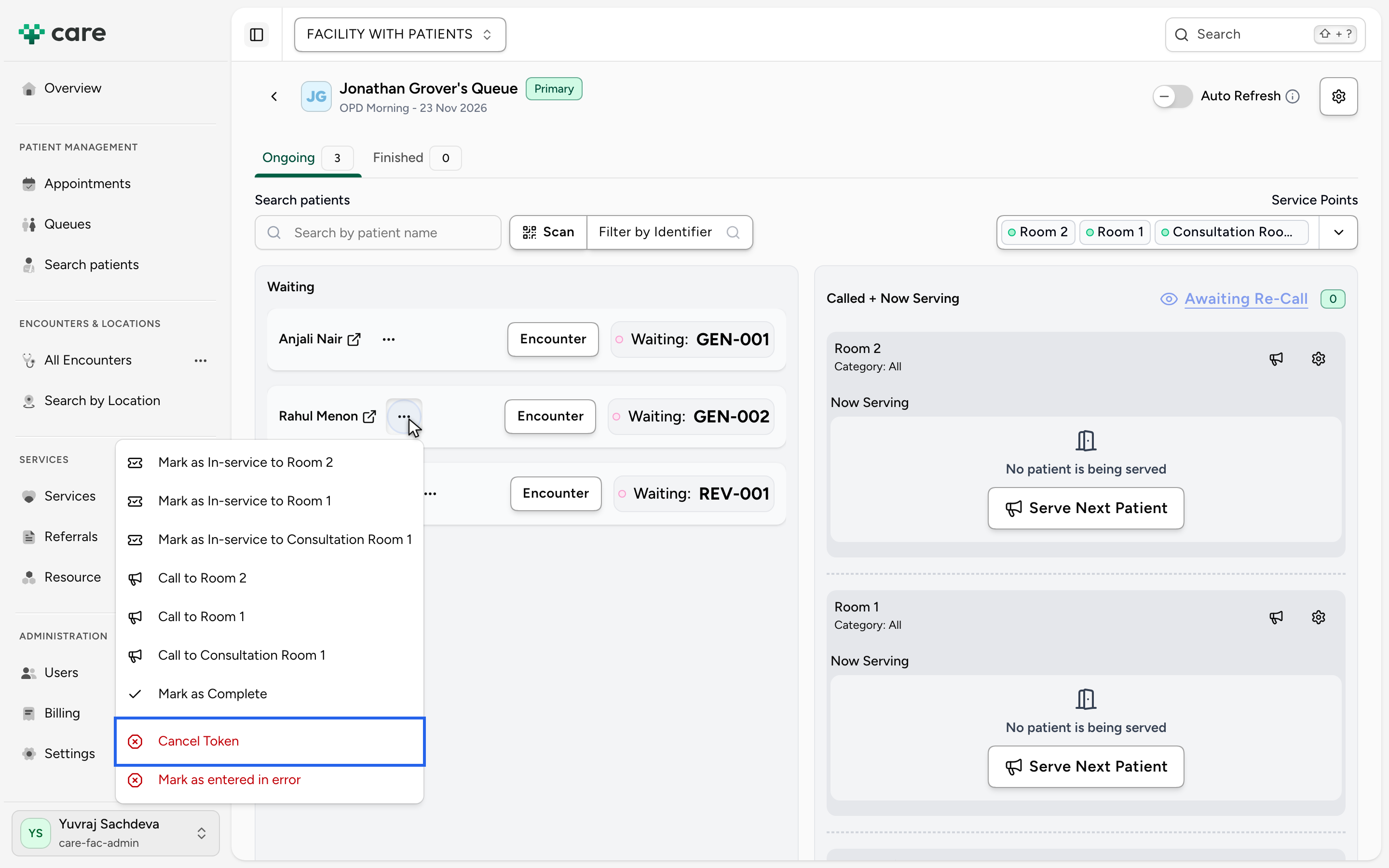
Select the three-dot button on the token card, or right-click the card.
3. Select Cancel Token
Select Cancel Token.
To mark the token as entered in error instead, select Mark as entered in error.
4. Confirm
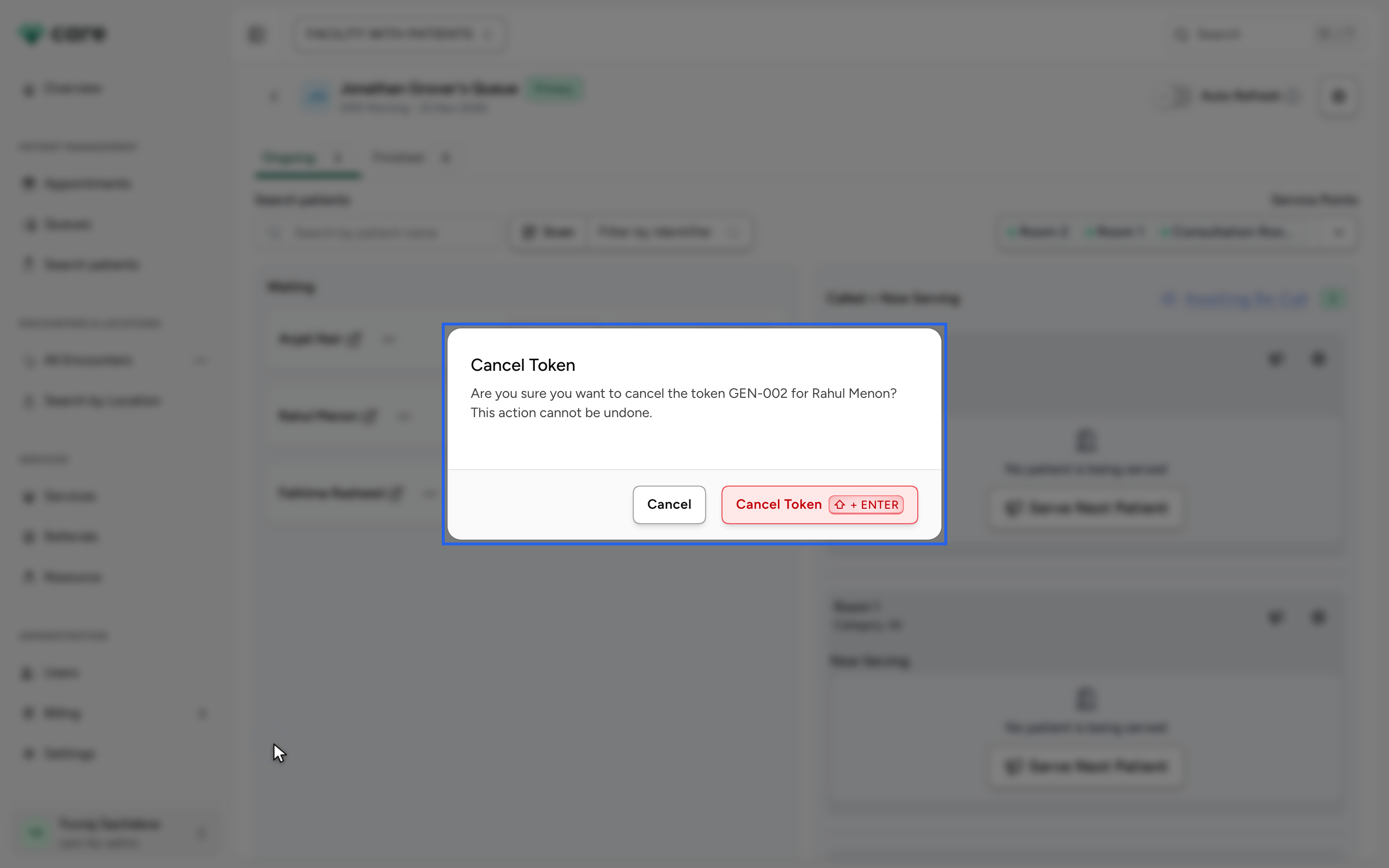
A dialog with the title Cancel Token opens.
The dialog asks: "Are you sure you want to cancel the token [token number] for [patient name]? This action cannot be undone."
Care fills in the number of the token and the name of the patient.
Select Cancel Token to confirm.
If you selected Mark as entered in error, the dialog has the title Mark as entered in error.
That dialog asks: "Are you sure you want to mark the token [token number] for [patient name] as entered in error? This action cannot be undone."
Select Mark as entered in error to confirm.
Expected Outcome
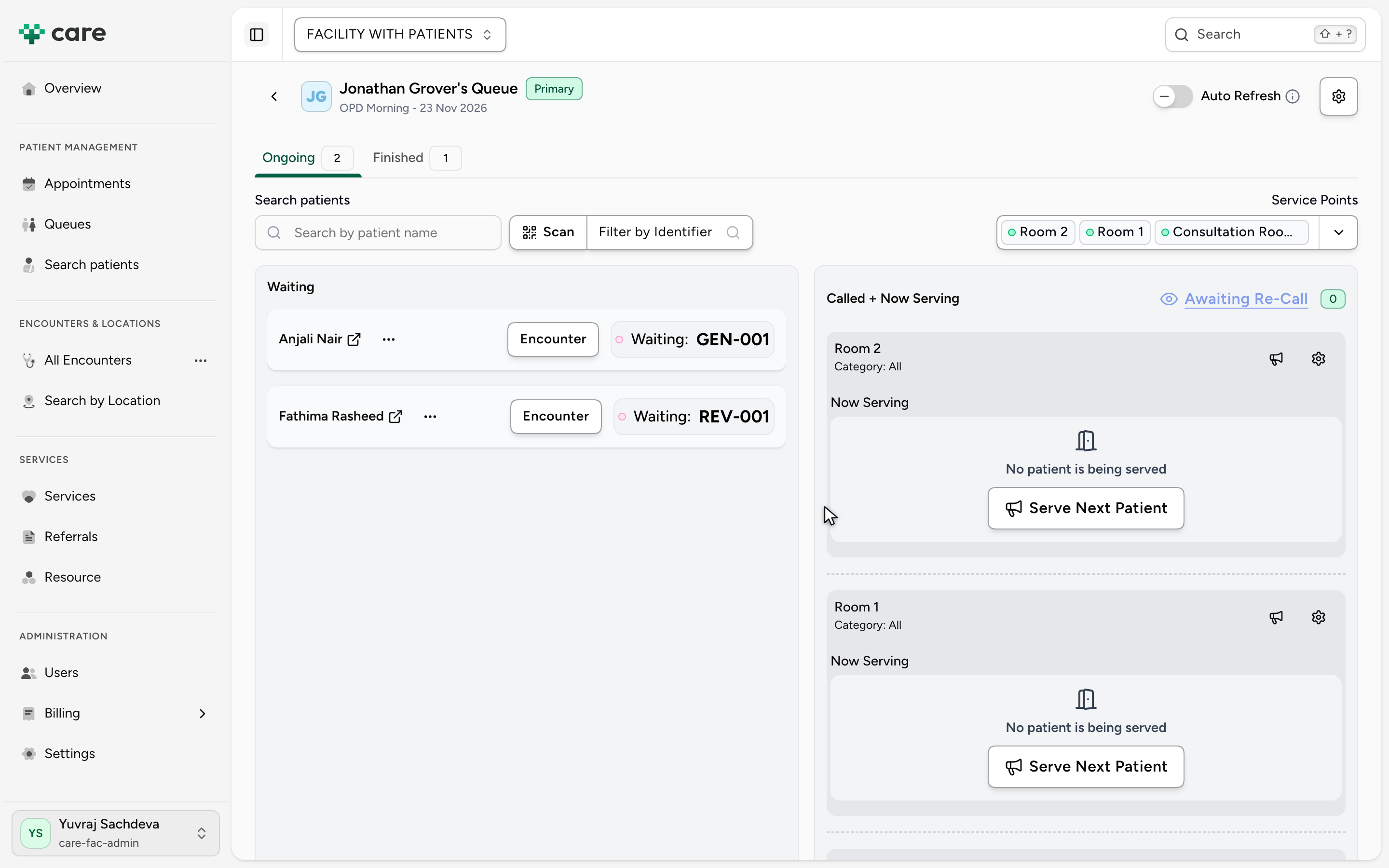
- The cancelled token leaves its service point and the Ongoing tab.
- The token appears on the Finished tab, with the status Cancelled.
- Serve Next Patient does not take a cancelled token.
- A token that you mark as entered in error leaves its service point. It appears on neither tab of the queue board.
- The patient's token list still shows the token, with the status Cancelled or Entered in Error. See View and print a patient's tokens.
Related
Concepts:
Flows: